 Mail Deck
Every inbox you’re signed in to, in one panel.
Mail Deck sits on the Chrome toolbar and brings together the unread mail of Gmail, Yahoo Mail, AOL, Proton Mail, Yandex Mail and Mail.ru. Read, archive, delete or put mail off till later without opening a tab. It works through the session your browser already has, so it never needs your password. And it is quick at all of it.
Works with your mail
- Gmail
- Yahoo Mail
- AOL Mail
- Proton Mail
- Yandex Mail
- Mail.ru
Gmail works as soon as Mail Deck is installed. For the others, sign in on the service’s own site as usual, then turn it on in Settings → Other mail. Chrome asks you to allow that service’s sites, and turning it off takes the permission back. There is no password, app password or account of ours to set up: Mail Deck reads each one with the session your browser already has, the way it reads Gmail.
Not everything is the same everywhere. Proton mail opens on Proton’s site, because it is end-to-end encrypted; the panel shows its sender, subject and time. Mail from Yandex Mail and Mail.ru cannot be archived from the panel. Search, stars, Google Meet, labels and the Primary tab are Gmail’s. The other services have no public interface for this, so Mail Deck follows their own web apps, and a change on their side can stop one until Mail Deck is updated.
Fast, all the way through
-
Every inbox at once
All your mailboxes are checked side by side, Gmail and the other services alike, so the count is fresh as soon as the slowest one answers. A mailbox that hangs no longer holds up the rest.
-
Messages open on the click
Point at a Gmail message and it is fetched before you click. The last ones you read, from any service, stay ready for the rest of the session.
-
The panel opens ready
It shows what the last check found, and Gmail’s stars and the mail past the first twenty are remembered for a few minutes, so opening the panel again asks no mail service anything.
-
Actions never get lost
Archive and close the panel straight away: the action still reaches the mail service once its five-second Undo is over, and the count drops at once.
A closer look
What it does
-
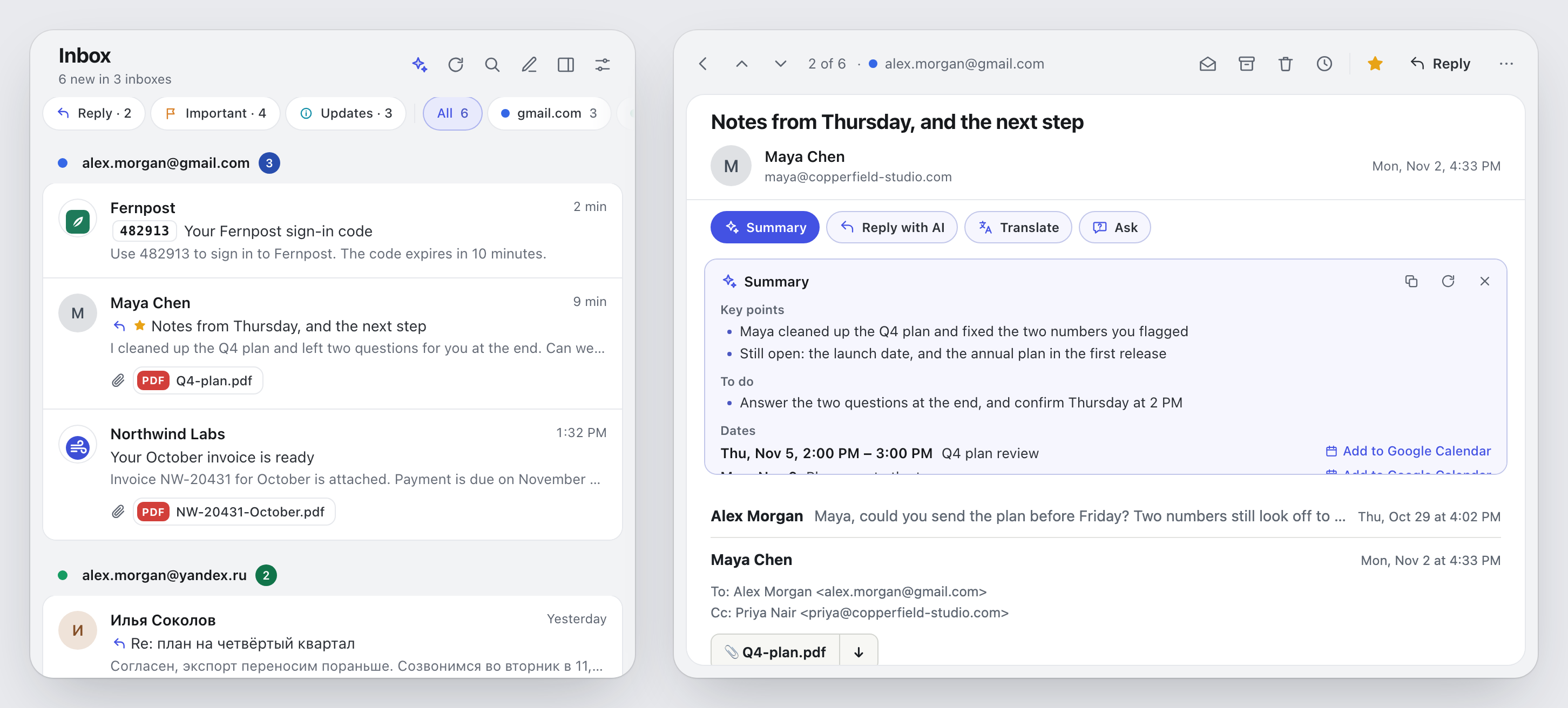
Each mailbox at a glance
Every mailbox you’re signed in to shows with a colour and an unread count, and a Google account with its own picture too. Pick a chip to see one inbox only.
-
Read in place
A Gmail conversation opens whole in the panel, attachments included. Mail from Yahoo, AOL, Yandex and Mail.ru opens there too; Proton’s opens on Proton’s site.
-
Attachments you can’t miss
A Gmail message’s files show on its line before you open it, tagged PDF, sheet or picture; a click opens the file alone. The open message lists them under the sender, with Download.
-
Mail from the site you’re on
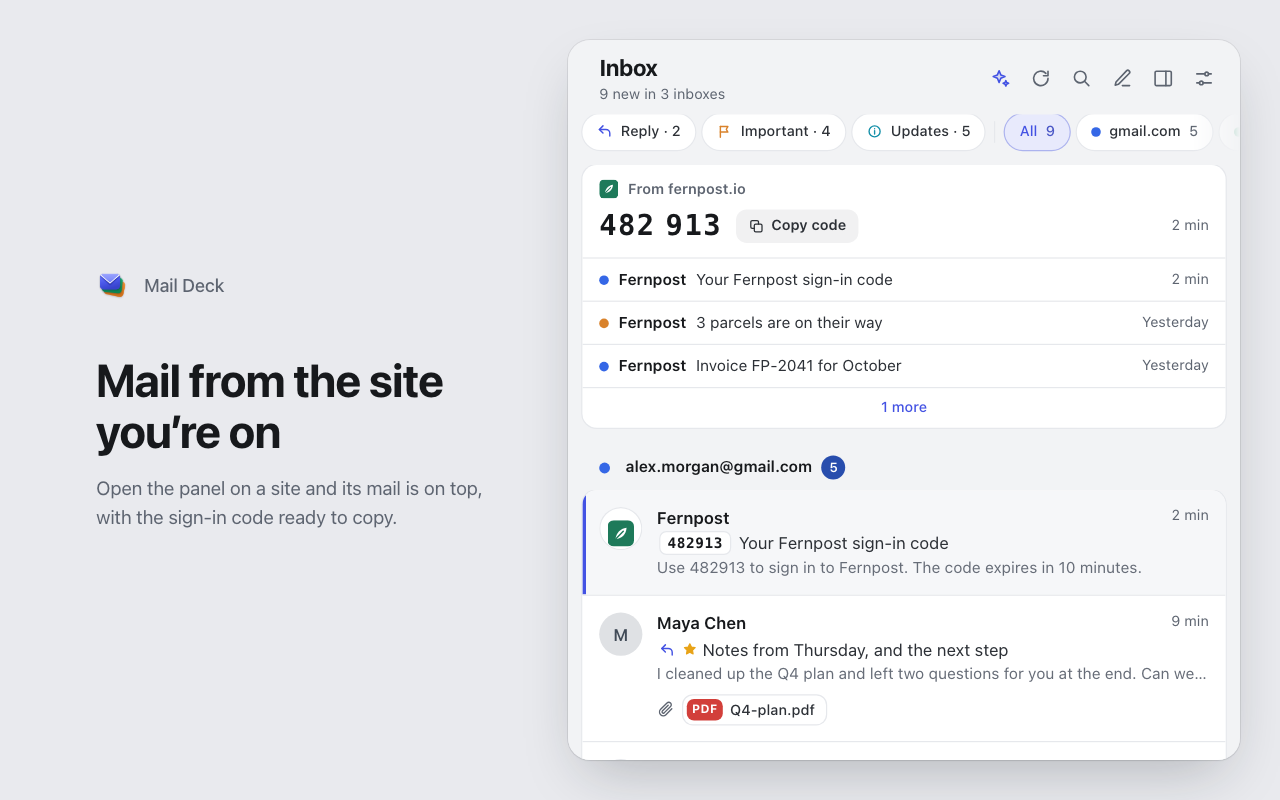
Open the panel on a site and its unread mail is at the top, from every inbox, with a sign-in code from the last half hour ready to copy. The page’s address stays in the panel: it is not stored or sent.
-
Codes in one click
A mail with a one-time code shows it before the subject, and its notification in its title, with a Copy button if you like. Click it, or press C, to copy the digits; the mail stays as it was.
-
Trackers stay out
Pictures that only report that you opened a mail never load, and the reader says how many it kept out and whose. A calm line warns when a sender is not who the name says.
-
Unsubscribe in one click
A newsletter’s menu offers Unsubscribe, the way the sender asks, after you confirm, and can archive what it left unread. The Newsletters chip lists its senders.
-
Undo for five seconds
Archived or deleted the wrong one? Press Undo in the notice, or Z.
-
Reply and star
Write a Gmail reply in the panel and send it, with five seconds to undo; it stays in its thread. Another service’s reply opens its compose window. Star and label a Gmail message without leaving the panel.
-
Labels, not just the inbox
Choose which Gmail labels to watch, separately for each account, or only the Primary tab.
-
Search as you type
The list narrows while you type; Enter searches all your Google accounts at once. Save the searches you run often as chips, and Gmail’s own Promotions, Social and Updates show as chips too.
-
Remind me later
Put a message away until this evening, tomorrow or next week. It comes back with a notification.
-
Your order, your side panel
Drag the inboxes into your order, keep the deck open beside the page, open it with Alt+Shift+M.
-
Notifications and sound
A desktop notice titled with its inbox and an optional sound for new mail, with quiet hours, quiet inboxes and rules for senders. If you want, it comes back until the mail is read.
-
The count you want
Leave an inbox out of the number on the toolbar, or count only the mail since you last opened the panel.
An assistant, if you want one
- Chrome’s built-in model
- ChatGPT plan
- Anthropic
- OpenAI
- Google Gemini
- xAI Grok
- DeepSeek
- Mistral
- Qwen
- Kimi
- Z.ai GLM
- Groq
- OpenRouter
- YandexGPT
- Ollama
- LM Studio
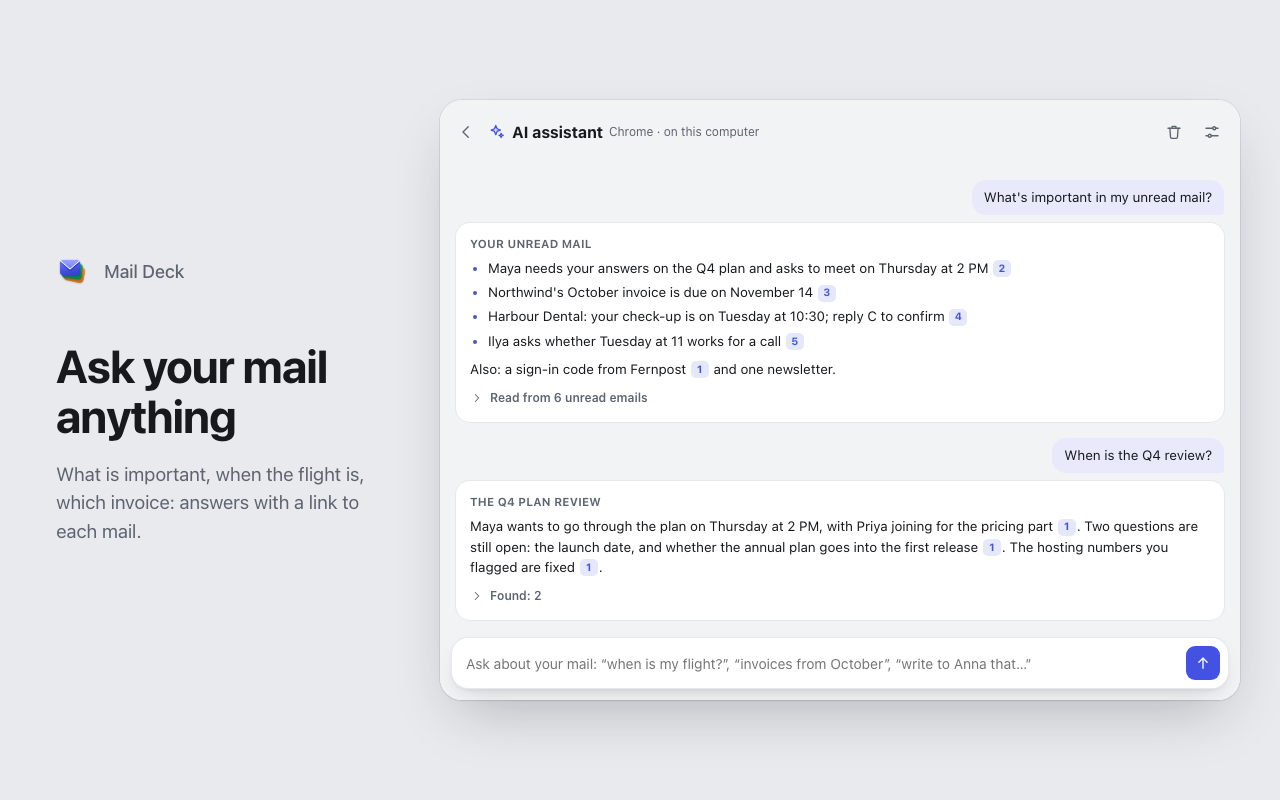
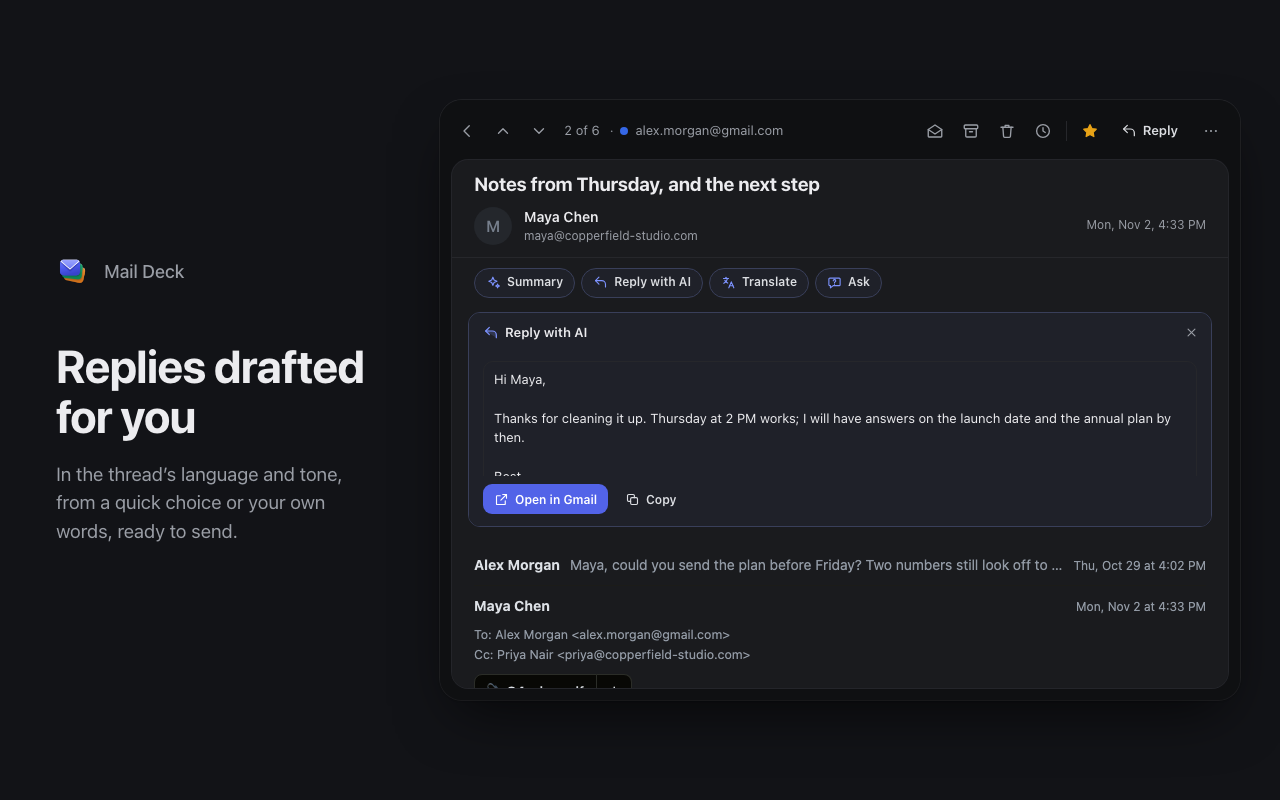
Ask your mail in plain words: “when is my flight?”, “what did Anna say about the budget?”, “invoices from October”. The assistant searches every Gmail account, reads what it finds and answers with numbered references to each mail. “What’s important?” sums up your unread mail, and “write to Anna that…” drafts a new mail. In an open message it summarizes the conversation with its dates for Google Calendar, drafts a reply in the thread’s language, and answers questions about it. Send it from the panel, with five seconds to undo, or open it in Gmail. Unread mail is sorted into waiting for your reply, important, and newsletters you can clear in one go.
Its buttons are there from the start and offer to turn it on; nothing is sent until you do. Chrome’s built-in model is free and runs on your computer, so your mail stays there. So does a model you run yourself with Ollama or LM Studio. Or sign in with your ChatGPT plan through OpenAI’s official Sign in with ChatGPT, or use your own API key from one of a dozen providers, OpenRouter’s hundreds of models among them. Requests go from your browser straight to that provider, with no servers of ours in between, and keys and sign-ins stay on this computer. A foreign-language message gets Translate, by Chrome’s own translator, with no assistant needed.

One key per action
- RMark as read
- UMark as unread
- EArchive
- DelDelete
- !Report spam
- SStar
- ZUndo
- BRemind me later
- CCopy the code
- ISummary
- AAsk the assistant
- /Search
- OOpen in the web app
- JNext message
- KPrevious message
- ?All the keys
The keys go by position, so they work with any keyboard layout. J and K work in an open message too, and the next one can open by itself after an action. Star and search are for Gmail; archive works everywhere but Yandex Mail and Mail.ru; Summary needs the AI assistant.
Nothing in between
Mail Deck has no servers and no analytics. It talks only to Google and to the mail services you turn on, each with the session your browser already has, and never sees your password. The AI assistant adds one more only if you choose one: that provider, straight from your browser. Tracking pixels in your mail are kept out before they load.